
A fresh look.
More possibilities.
Meet iDoceo 9.6.0
Plan with more clarity. See your class from a fresh perspective. Bring your teaching materials closer to your students.
Captured in iDoceo 9.6.0 · Sample class
Your week, always handyNew Home Screen widget
A clearer class pictureInteractive Summary charts
Share with your studentsPin boards through Connect
Your week at a glance
Your timetable, right on your Home Screen. Choose a widget size and style that fits your day.
Explore the improvements
Bring your timetable to your Home Screen with the new weekly schedule widget. Choose from different sizes and styles to keep your week within easy reach.
A fresh perspective on your classes
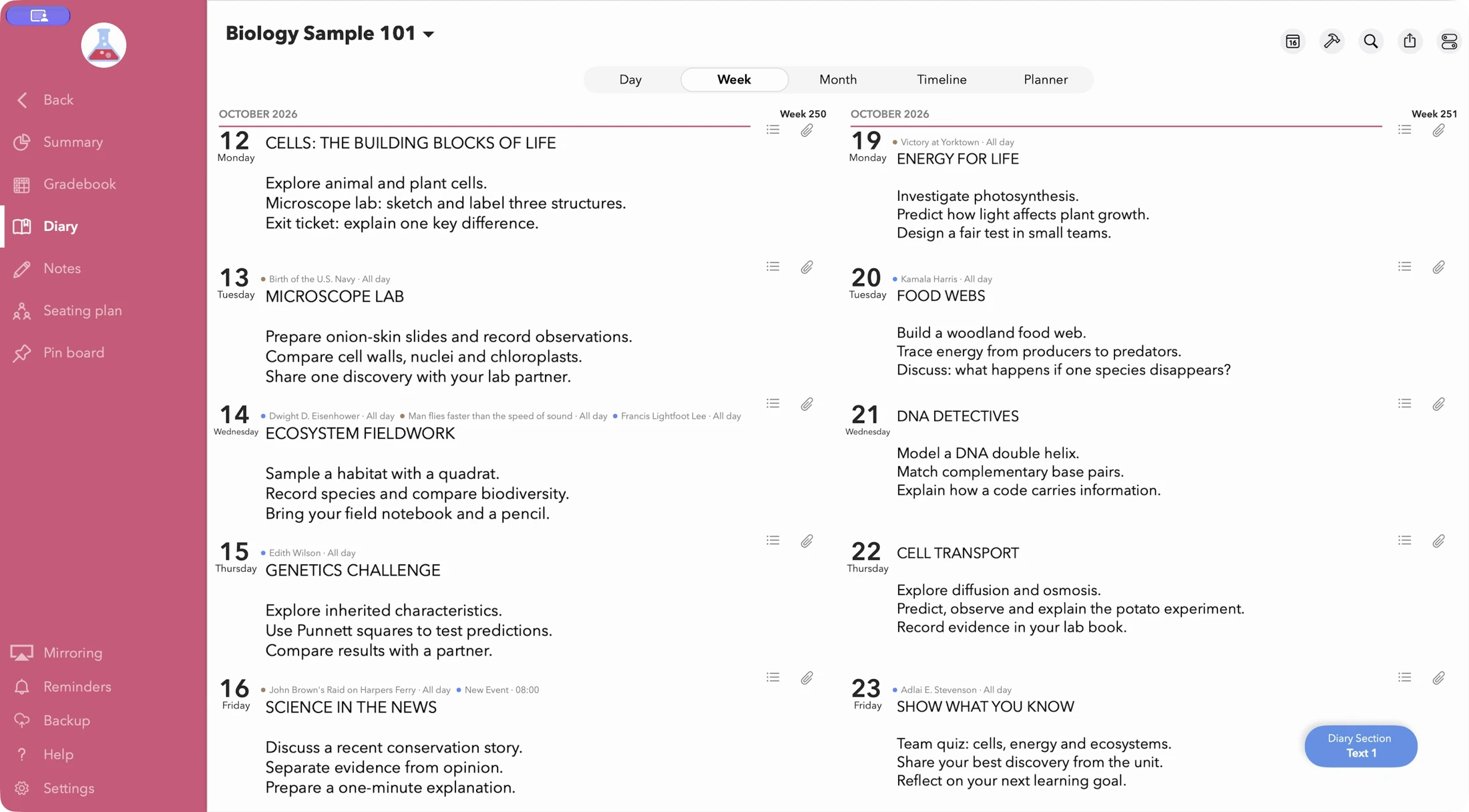
Give your lessons room to breathe. The refreshed daily and weekly diary makes your plans easier to follow.
Explore the improvements
The redesigned daily and weekly diary views on iPad and Mac give your lessons a clearer layout. Session numbers now appear in more planning views, helping you keep track of each lesson.
Updated diary and notes searches make it easier to find your ideas again. Recent searches in the diary help you return to earlier queries, while clearer results make the information you need easier to spot.
Share your pin boards with students
Put resources, notes and audio in one place—and share your pin boards with students through iDoceo Connect.
Explore the improvements
Share pin board content with your linked iDoceo Connect class so students can view it in their browser. Publish resources, notes and audio recordings, and import new items from the Connect board back into iDoceo.
Richer web page previews give your links more context. New note styles with coloured stripes help you organise your boards visually.
Discover more in your class Summary
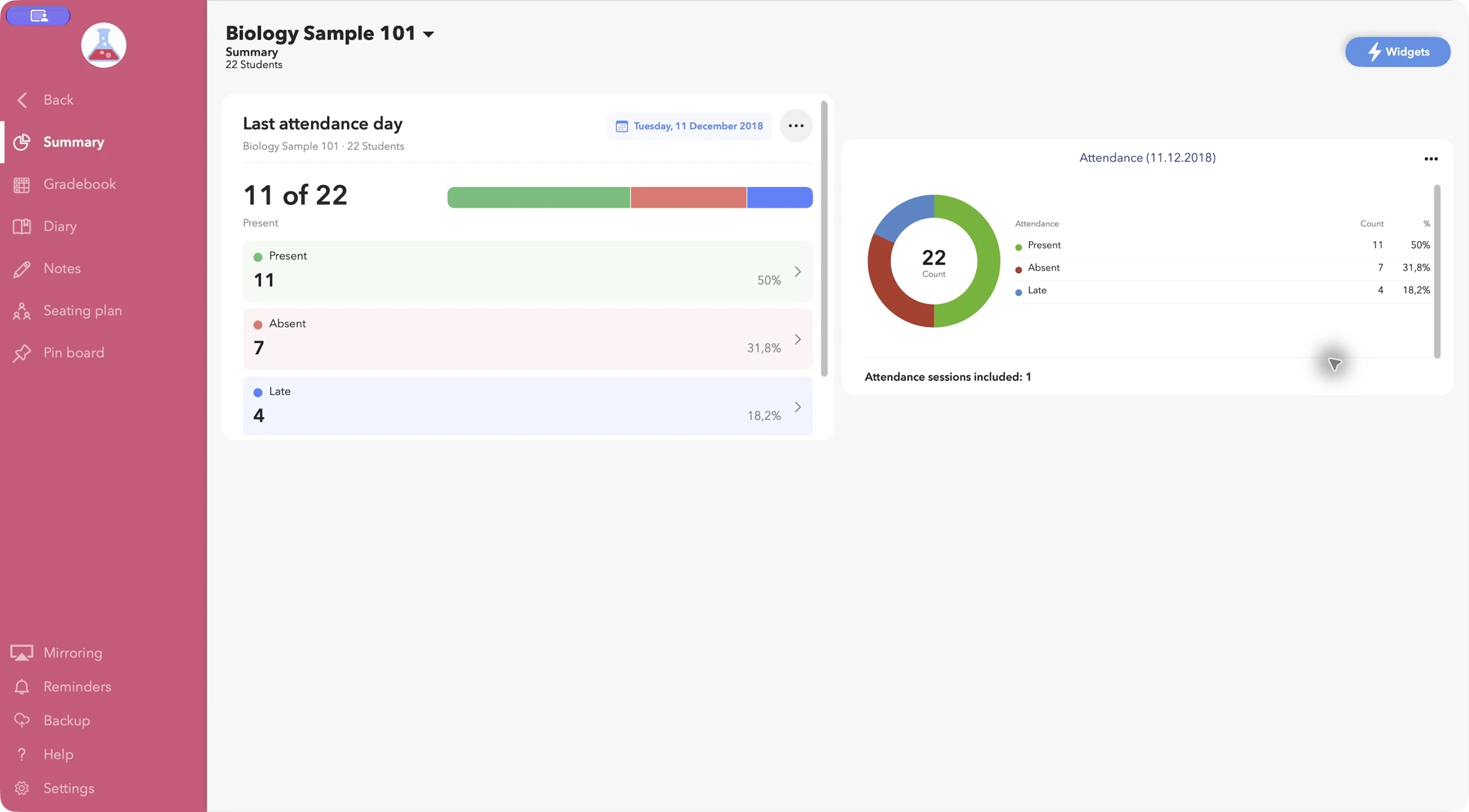
See attendance, grades and progress more clearly, with refreshed widgets and interactive charts.
Explore the improvements
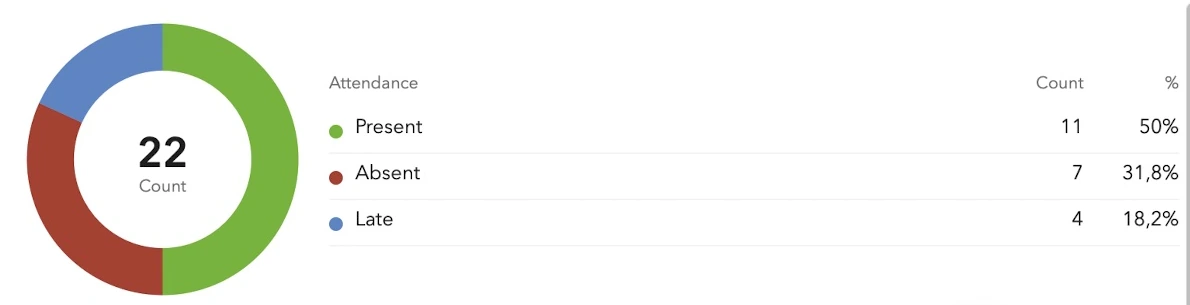
Redesigned widgets and clearer, interactive charts bring attendance, grades and progress into focus. Compare students and assessments, include the class average and explore radar charts for another view of performance.
Export your comparisons to PDF to keep or share them. Tap an attendance status to see the students behind the figures.
Plan in Excel. Bring your ideas into iDoceo.
Plan your lessons in a spreadsheet, then import them straight into your planner sections.
Explore the improvements
Import lesson plans from a spreadsheet directly into your planner sections. Match the spreadsheet’s column headings to your section names, and each column’s content will appear in the right place.
A more comfortable gradebook
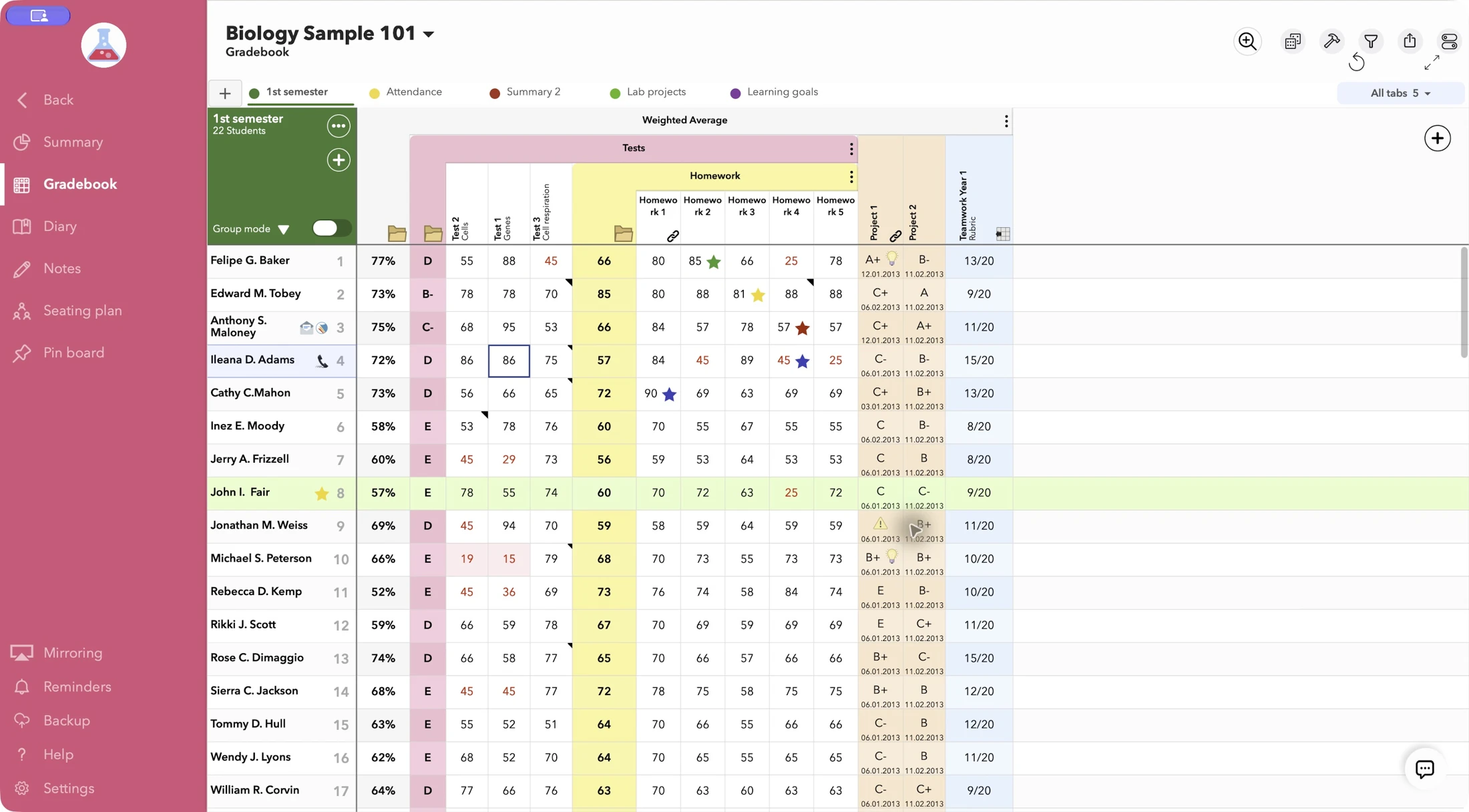
Make the gradebook feel like yours. Reorder tabs, adjust row heights and work with a clearer undo and redo history.
Explore the improvements
Reorder the new tabs by dragging them, adjust row heights to fit their content and work with the redesigned undo and redo history.
Select several assessment criteria at once. You can also choose to show the associated criteria in column headers, keeping that information visible as you work.
More possibilities with iDoceo Connect
Bring more interaction into your classes with team challenges, debates and the name wheel.
Explore the improvements
Bring your classes to life with live activities, including team challenges, debates and the name wheel. Sign in with a Microsoft account and choose a Connect account independently of your other cloud connections.
Import assignments by ID and access shared assignments as a co-teacher. Use the integrated web assessment editor and check submission activity directly from iDoceo.
Your resource library, refreshed
Browse, preview and transfer resources through the redesigned local Wi-Fi web interface.
Explore the improvements
Browse, search, preview and transfer resources through the redesigned local Wi-Fi web interface. Drag files into the library and organise them by class, student or session.
Familiar tools with a fresh look
A familiar toolkit, refreshed—from textDrop and the calculator to audio recording and the random picker.
Explore the improvements
Enjoy a refreshed design across Settings, the resource library, textDrop, iconDrop, TimeDrop, the calculator, audio recording and playback, and the random picker.
Timers and the stopwatch keep their state when you change screens. Floating controls keep them close at hand as you move through your work.
Reminders for every class
Keep reminders connected to the class they belong to, so the next thing to do is easy to find.
Explore the improvements
Add reminders to individual classes and manage them easily, keeping the things you need to remember connected to the class they belong to.