
- Thank you received: 0
Copying rows of data
- emilyokeeffe
-
 Topic Author
- Offline
Less
More
6 years 2 months ago #8984
by emilyokeeffe
Copying rows of data was created by emilyokeeffe
I need to be able to copy a student, and their grade book data, into new classes. Kids get mixed up into new classes so although the columns stay the same for each class, the individual kids within the classes change and I’d like to be able to see their historical data and grades from last year in this year’s class. I can’t just copy and paste a column or tab as the data would then be next to a different kids name. I hope this makes sense! Is this possible?
Please Log in or Create an account to join the conversation.
- bert
-
- Offline
Less
More
- Thank you received: 747
6 years 2 months ago #8992
by bert
Replied by bert on topic Copying rows of data
Hello emilyokeeffe,
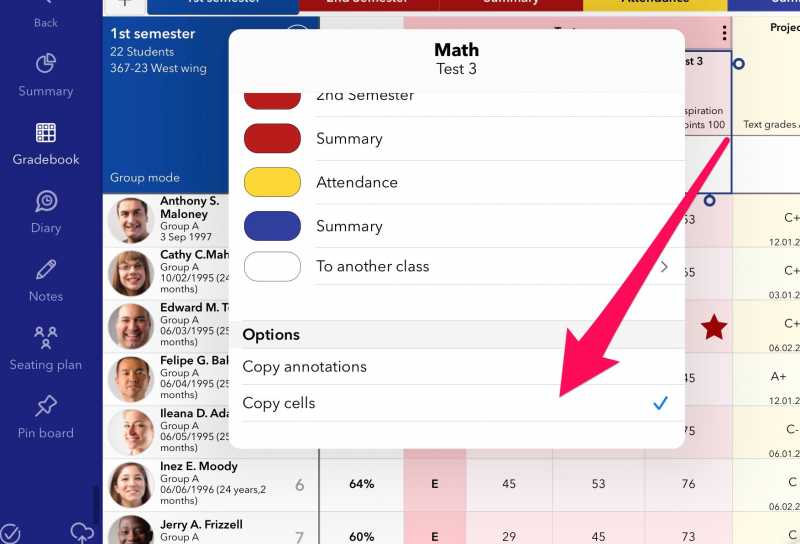
If you copy a column from one class to another and enable the 'copy cells option' shown in the image it will only transfer data that belongs to the same student. They won't be mixed up. It is a - moderately - smart copy.
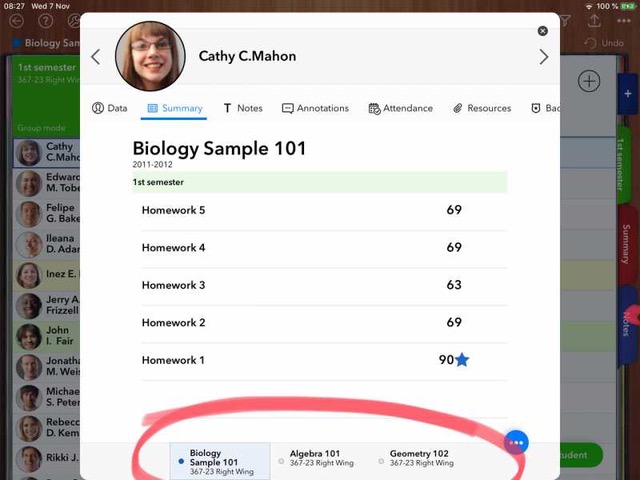
You should also keep in mind that the student's sheet > Summary section will let you see the historical data of each student (on any class/year) that he is or was attending.
Find attached below a sample screenshot
If you copy a column from one class to another and enable the 'copy cells option' shown in the image it will only transfer data that belongs to the same student. They won't be mixed up. It is a - moderately - smart copy.

You should also keep in mind that the student's sheet > Summary section will let you see the historical data of each student (on any class/year) that he is or was attending.
Find attached below a sample screenshot

Attached images2Click to enlarge
Please Log in or Create an account to join the conversation.
- emilyokeeffe
-
Topic Author
- Offline
Less
More
- Thank you received: 0
6 years 2 months ago #8996
by emilyokeeffe
Replied by emilyokeeffe on topic Copying rows of data
This is great - thank you so much! One more question: is there a way to workaround the duplication of columns this creates? Eg if I have students from 4 different classes merging in to one, can I also merge the data into one column rather than have 4 duplicated ones?
Please Log in or Create an account to join the conversation.
- tomka
-
- Offline
Less
More
- Thank you received: 11
6 years 2 months ago #8998
by tomka
Replied by tomka on topic Copying rows of data
I think you could create another column and calculate the average of the 4 columns. Since there is only one value, the average is equal to the column that holds the value. If you want you can hide the 4 "source-columns".
The following user(s) said Thank You: bert
Please Log in or Create an account to join the conversation.
- bert
-
- Offline
Less
More
- Thank you received: 747
6 years 2 months ago #8999
by bert
Replied by bert on topic Copying rows of data
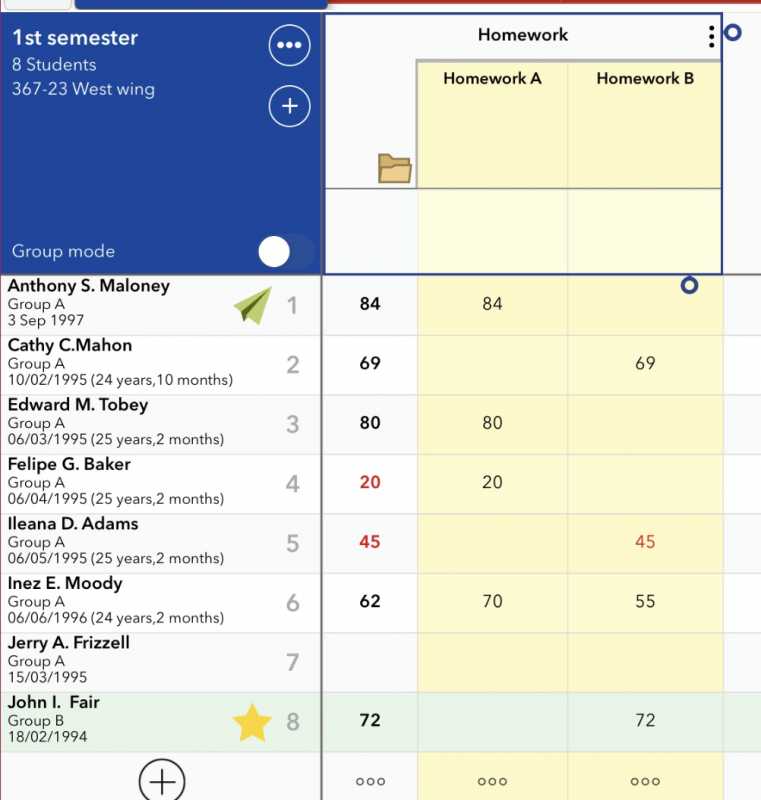
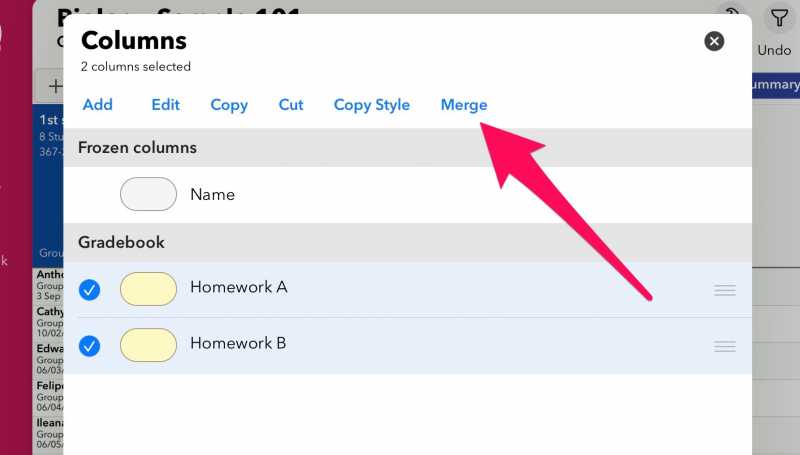
@emilyokeeffe, what tomka states is perfectly valid. You could easily add a folder/category that would do that for you. Just set the calculation as average.
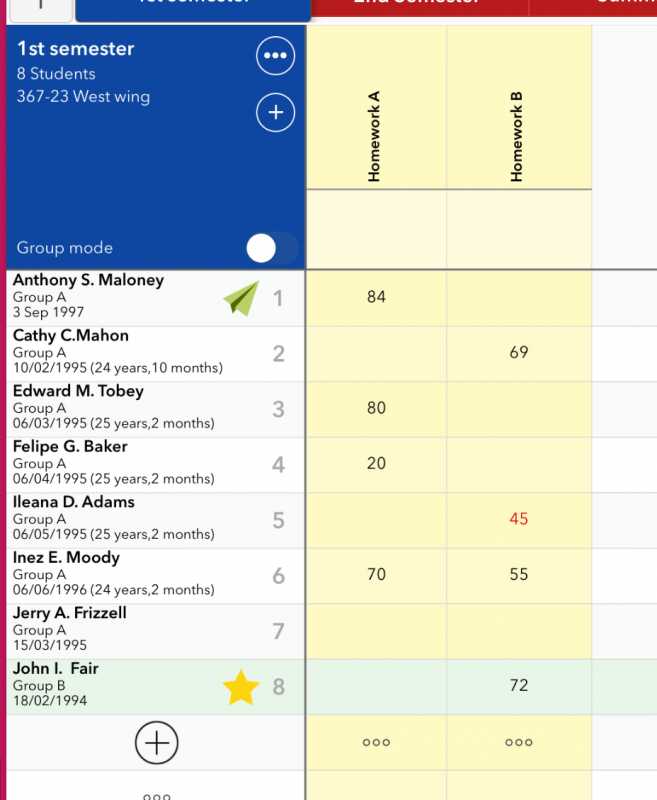
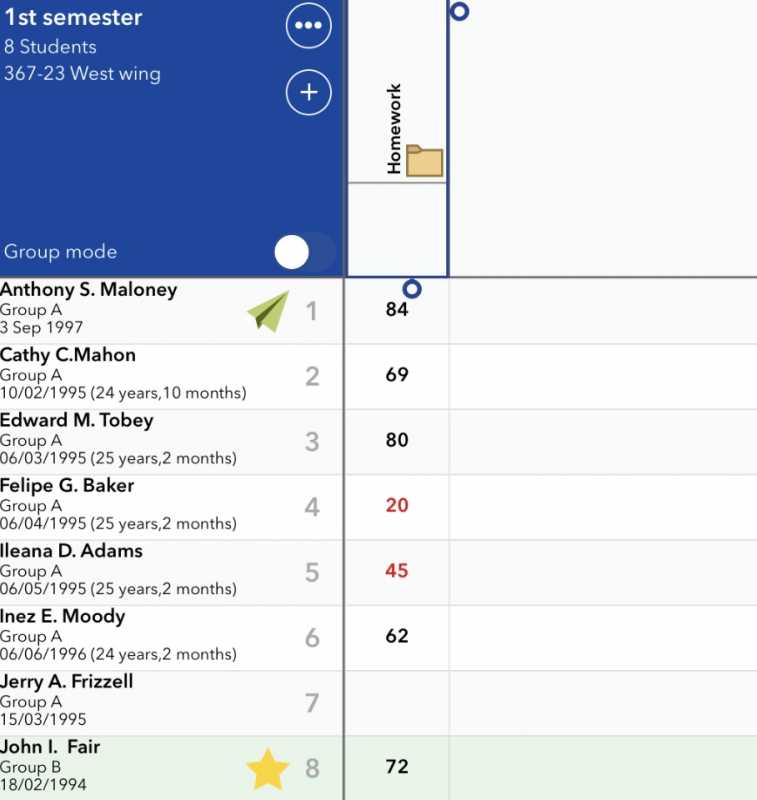
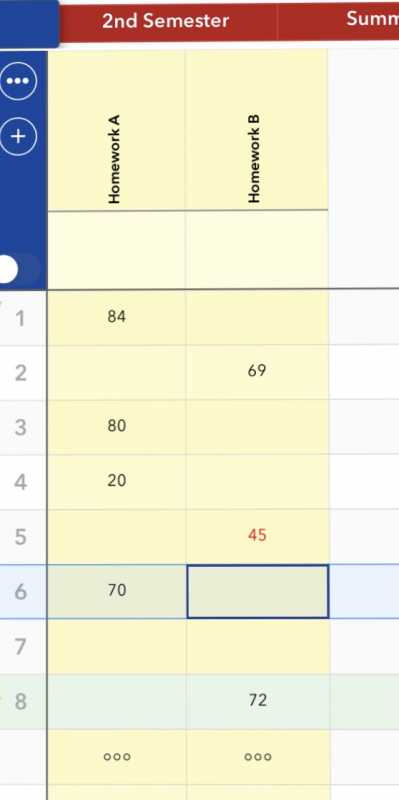
If we had these two columns shown in the image:
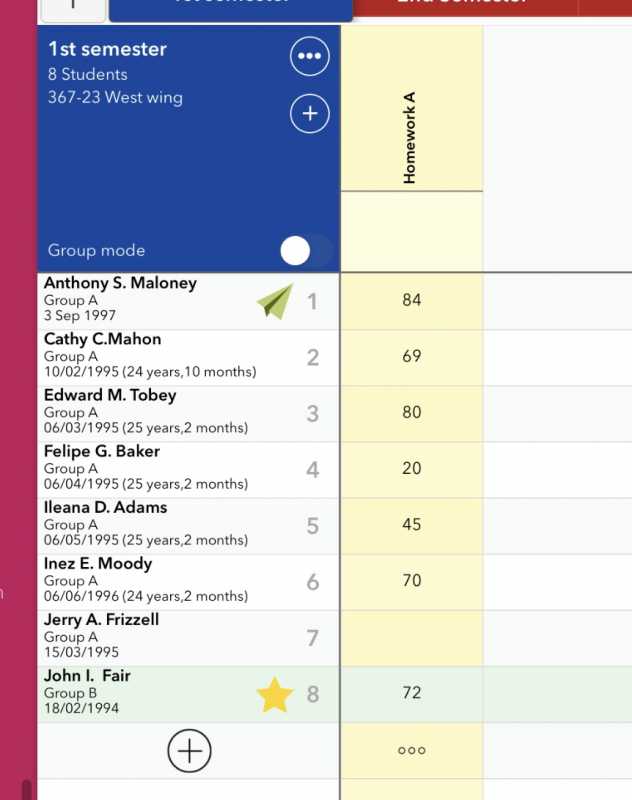
It would look like this (and you can close the folder to see only the results)
If we had these two columns shown in the image:

It would look like this (and you can close the folder to see only the results)


Attached images3Click to enlarge
Please Log in or Create an account to join the conversation.
- bert
-
- Offline
Less
More
- Thank you received: 747
6 years 2 months ago - 6 years 2 months ago #9000
by bert
Replied by bert on topic Copying rows of data


Attached images3Click to enlarge
Last edit: 6 years 2 months ago by bert.
Please Log in or Create an account to join the conversation.
- emilyokeeffe
-
Topic Author
- Offline
Less
More
- Thank you received: 0
6 years 2 months ago #9001
by emilyokeeffe
Replied by emilyokeeffe on topic Copying rows of data
Yes! That’s amazing - thank you!!!!
Please Log in or Create an account to join the conversation.